


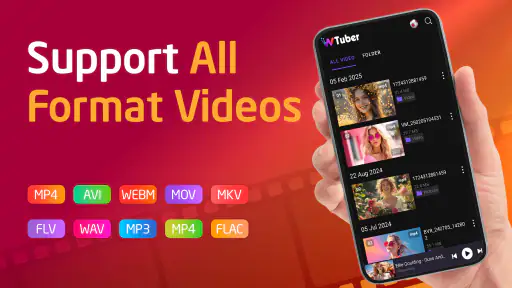

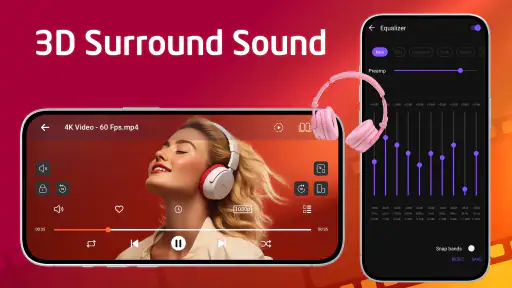

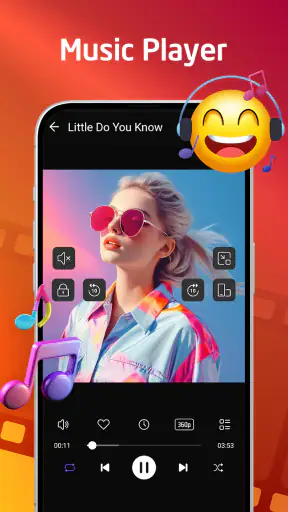
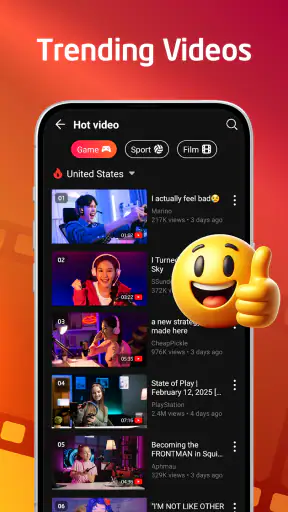

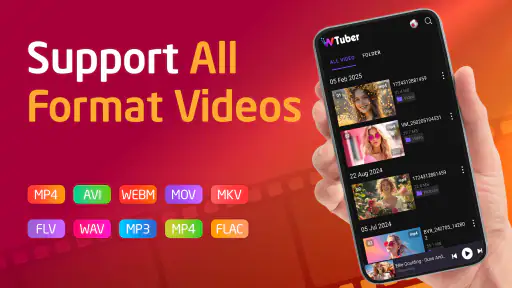
I spent time with Video Player All Format-wTuber as a practical media app rather than treating it as just another player with a long feature list. Its main appeal is straightforward: it brings music playback and video playback into one place, which can be useful when I want fewer separate apps competing for attention. The experience is aimed at people who keep local media on an Android device and want a simple way to open different files without switching between dedicated tools.
The app sits in the video players and editors category, although my use of it felt much more focused on playback than editing. It is free to install, carries a Mature 17+ content rating, and is developed by Music & recorder apps. The current version is 7.6, and it works on Android 7.0 or later. Those details matter if you are using an older phone, sharing a device with a younger family member, or looking for an app that combines audio and video without immediately requiring a subscription.
How the interface feels when reading and navigating
The first thing I noticed was the benefit of having music and video gathered under the same roof. Instead of remembering which app handles which file, I can open wTuber and begin browsing from one media-focused environment. That makes sense for someone who downloads clips, keeps personal recordings, or moves music files onto a phone for offline listening.
Navigation is easiest when I approach the app with a clear task: find a file, start playback, and use the basic controls. The interface is more useful as a direct player than as a complicated media-management system. I would not choose it expecting a desktop-style library with elaborate sorting logic. Its strength is reducing the number of steps between selecting media and hearing or watching it.
For readability, I found that short labels and familiar playback symbols do most of the work. That is helpful for people who prefer recognizable controls instead of dense menus. At the same time, a media player can become less comfortable when a screen is crowded with artwork, file names, and controls. Long titles or poorly named files may still require extra attention, especially on a smaller phone.
My practical suggestion is to organize your media before relying on the app as your everyday library. Clear folders and sensible file names make a bigger difference than most player settings. If you have hundreds of recordings with vague names, the app cannot completely solve that organizational problem for you. A small amount of preparation makes browsing faster and reduces the need to repeatedly open files just to identify them.
The app has attracted a 4.5 average from around 77 thousand ratings, and its reach is significant, with over 5 million installs. I see those figures as signs that the basic concept is easy for many people to understand, not as proof that every device or personal workflow will feel identical. Android phones vary widely in screen size, storage organization, and system behavior, so I would still test it with the files you actually use.
Useful habits for a less tiring media routine
One overlooked advantage of a combined player is that it can simplify a repeated routine. For example, I might watch a downloaded tutorial during a commute, then switch to music while preparing dinner, without opening a second media app. That sounds minor, but fewer app changes can help when I am distracted, carrying something, or trying to keep my attention on another task.
I also found it sensible to start playback before placing the phone somewhere out of reach. Once the media is running, I can focus on listening rather than repeatedly searching through folders. This approach is particularly useful for podcasts, long recordings, language practice, or background music, where the screen is not the main focus.
Another practical trade-off is that a unified player may feel less specialized than a dedicated music service or a dedicated video tool. A streaming music app may offer stronger discovery, recommendations, and account-based synchronization. A more advanced video player may provide finer control over subtitles, playback behavior, or unusual formats. wTuber makes more sense when convenience and local playback matter more than a deep ecosystem.
Motor, visual, and sensory considerations in daily use
I approached the app with the question of how much effort it takes to perform common actions. Starting a file is usually a simple interaction, and familiar playback controls are easier to understand than controls hidden behind several layers. That can help users who prefer predictable touch targets and do not want to learn an elaborate interface before listening or watching.
Still, touch interaction has natural limits. People with tremors, limited reach, or difficulty making precise taps may find small controls challenging, especially when using the phone one-handed. I would pair the app with the phone’s own display scaling, magnification, font, and touch settings where available. Those system tools may improve comfort, but they are not a substitute for an interface designed around every access need.
For users with low vision, the most important test is whether file names and controls remain distinguishable on their particular device. I would not assume that a dark player screen, bright artwork, or a familiar icon automatically provides enough contrast. Increasing system text size can help in some areas, but it may also cause labels to wrap or reduce the amount of visible information. The best setup depends on the phone and the user’s preferred scale.
For blind users or people who rely heavily on spoken feedback, the key question is how consistently the app exposes meaningful labels to the phone’s screen reader. I would treat that as something to test directly with the media files and controls I need most. A player can be easy to use visually while still creating friction if buttons are not announced clearly or if the current file is difficult to identify.
Hearing-related needs change the value of the app in a different way. Video playback may be less useful when captions are unavailable or difficult to activate, while music playback may depend on the listener’s preferred volume and audio setup. I would not assume that every video has captions simply because the app can play video. If spoken content matters, I would check the actual files and look for caption support during a normal viewing session.
Sensory sensitivity also deserves attention. Video playback can involve bright imagery, rapid movement, or sudden changes in sound, depending on the content itself. The player is not responsible for the character of every file, so I would preview unfamiliar material at a comfortable volume and brightness. For someone sensitive to visual motion or sharp audio changes, the content library may be a larger factor than the player brand.
Where the combined design helps
The strongest inclusive benefit I can identify is reduced context switching. A person who finds frequent app changes tiring can keep both types of media in one familiar place. This is also useful for shared household routines: one person may use the same app for music, another for personal videos, and neither has to learn a completely different layout.
There is a useful distinction between “fewer apps” and “fewer barriers.” Combining playback does not automatically make every action accessible. However, it can remove one ordinary obstacle: remembering which application should open a particular file. For someone managing attention, fatigue, or a busy environment, that small simplification may be genuinely worthwhile.
I also like the possibility of using it as a low-distraction local player. If I already have the files I need, I do not have to browse a large online catalog before starting something. That can suit users who prefer direct control over their media or who work in places where connectivity is unreliable. The trade-off is that the app is only as convenient as the file collection and storage structure behind it.
Situational access: travel, offline use, and shared devices
A realistic everyday scenario is a long trip with a phone containing downloaded music and a few saved videos. Before leaving, I would place those files in recognizable folders and test them once. During the journey, the combined player could reduce the need to move between apps, which is helpful when network access is inconsistent or when I want to preserve attention for the surroundings.
That does not mean I would operate the app while walking, cycling, or driving. Media controls are still touch controls, and interacting with a phone in those situations creates an avoidable safety problem. For hands-busy use, I would start content before the activity begins and rely on the phone’s existing audio controls when possible.
For people with limited data plans, local playback can be appealing because the files are already on the device. I would still remember that downloading or transferring those files requires storage and may require a connection beforehand. The app can simplify playback after preparation, but it does not remove the practical work of obtaining and organizing media.
On a shared device, the Mature 17+ rating is important. I would not install it casually on a child’s phone or assume that the rating describes only the player’s controls. The content opened through a media player can vary, so adults should consider the files, the device owner, and the household’s supervision needs separately.
Older hardware may also change the experience. Since the minimum requirement is Android 7.0, the app is available to people using older operating systems, which is useful for keeping an aging phone productive. Yet operating-system compatibility does not guarantee identical performance across every device. Storage speed, available memory, screen quality, and the specific media files can all affect how comfortable playback feels.
For someone who switches between phone and tablet, I would be cautious about expecting a seamless cross-device library. The most natural use case is playback on the device where the files are stored. If automatic synchronization, cloud continuity, or a large streaming catalog is central to your routine, a service built around accounts and device syncing may fit better.
Three workflows that make more sense than simply opening random files
First, I would create a “ready to play” folder for travel or exercise and keep only the files I expect to use there. This makes the app more approachable for anyone who becomes overwhelmed by a crowded file list. It also reduces repeated searching and makes it easier to hand the phone to another person without exposing the entire media collection.
Second, I would separate spoken material from music and video clips. That is not a special feature claim; it is a workflow choice that makes a general-purpose player easier to navigate. A person practicing a language, reviewing recorded instructions, or listening to lectures benefits from knowing exactly where those files live.
Third, I would test the most important file before deleting another player. If one unusual recording, subtitle-dependent video, or personally important format behaves differently than expected, keeping a second app available may be sensible. A combined player is convenient, but convenience should not come at the cost of losing access to essential material.
Remaining barriers and where another app may be better
The main limitation is that “all-in-one” does not necessarily mean “best at everything.” I would choose a dedicated music service when discovery, playlists across devices, artist information, and streaming are more important than local files. I would choose a specialized video player when I need advanced playback controls or a carefully managed subtitle workflow. wTuber is strongest in the middle ground between those two choices.
There is also a learning curve around personal organization. If your media is scattered across downloads, messaging attachments, removable storage, and several folders, the app may not instantly present a clean library. That is not a serious flaw for someone comfortable with file management, but it can be frustrating for users who expect the app to identify and arrange everything automatically.
In-app purchases range from $2.99 to $25.99 per item. Because the app is free to install, I would begin with the no-cost experience and decide whether any paid option solves a problem I actually have. I would avoid treating an optional purchase as necessary before understanding how the basic player fits my routine. This is especially important for people managing a tight budget or setting up a phone for someone else.
Accessibility expectations should also be realistic. The app can be useful alongside Android’s built-in accessibility settings, but I would not describe it as a complete solution for every visual, motor, hearing, or cognitive need without testing it personally. Before making it the only player on a device, I would check the actions that matter most: locating a file, starting and pausing playback, adjusting sound, identifying the current item, and returning to the library.
People who need strong parental controls should also look beyond the player itself. The Mature 17+ rating means the app is not an obvious fit for unsupervised children. Device-level restrictions, a supervised account, or a more controlled media environment may be better choices when content filtering is a priority.
I would also skip it if your main goal is editing. Although it belongs to a category that includes video editors, my recommendation is based on its role as a player for music and video. Someone trimming clips, adding transitions, recording voice-over, or building a finished project should use an editor designed for those tasks instead of expecting playback software to replace it.
My inclusive verdict after using it
Video Player All Format-wTuber is a sensible option for Android users who want one straightforward place for local music and video. I especially see its value for people who dislike switching between apps, keep media on an older phone, or need a simple offline routine. The free entry point makes it easy to try, while the broad device compatibility gives it a practical role on phones that may not support newer alternatives.
Its inclusive value is strongest in small, everyday ways: fewer context changes, a direct path to local files, and a familiar playback model. Those benefits can matter to users managing fatigue, attention, limited connectivity, or a shared household device. I would improve the experience by organizing files first, adjusting the phone’s display and touch settings, and testing screen-reader behavior if spoken feedback is essential.
My recommendation is therefore specific rather than universal. Choose it when a combined local player is more important than streaming discovery, advanced video controls, or guaranteed accessibility behavior. Keep another player if you depend on specialized formats or caption workflows. And because the content rating is Mature 17+, place it carefully on shared or younger users’ devices.
After trying it, I see wTuber as a useful practical tool rather than a replacement for every media app. Its best quality is convenience with a clear purpose: open your files, listen or watch, and avoid unnecessary switching. If your priority is a low-friction local media routine, this is the kind of app I would ask a friend to try first.
The app was released on December 22, 2022, and its current version is 7.6. Those details are helpful when checking compatibility, but the final decision should come from your own files and access needs. For many users, that short test will quickly show whether its simple combined approach is a genuine improvement or whether a more specialized player belongs on the phone instead.


